Get paid on time
Turn on invoicing for a student and Reclass creates their invoice ahead of every due date, reminds them, and shows you who has paid.
How it works
- 1
Set the fee
Choose the amount and how often it's due: weekly, monthly or once.
- 2
Invoices go out
Reclass creates each invoice ahead of the due date and notifies the student.
- 3
Mark it paid
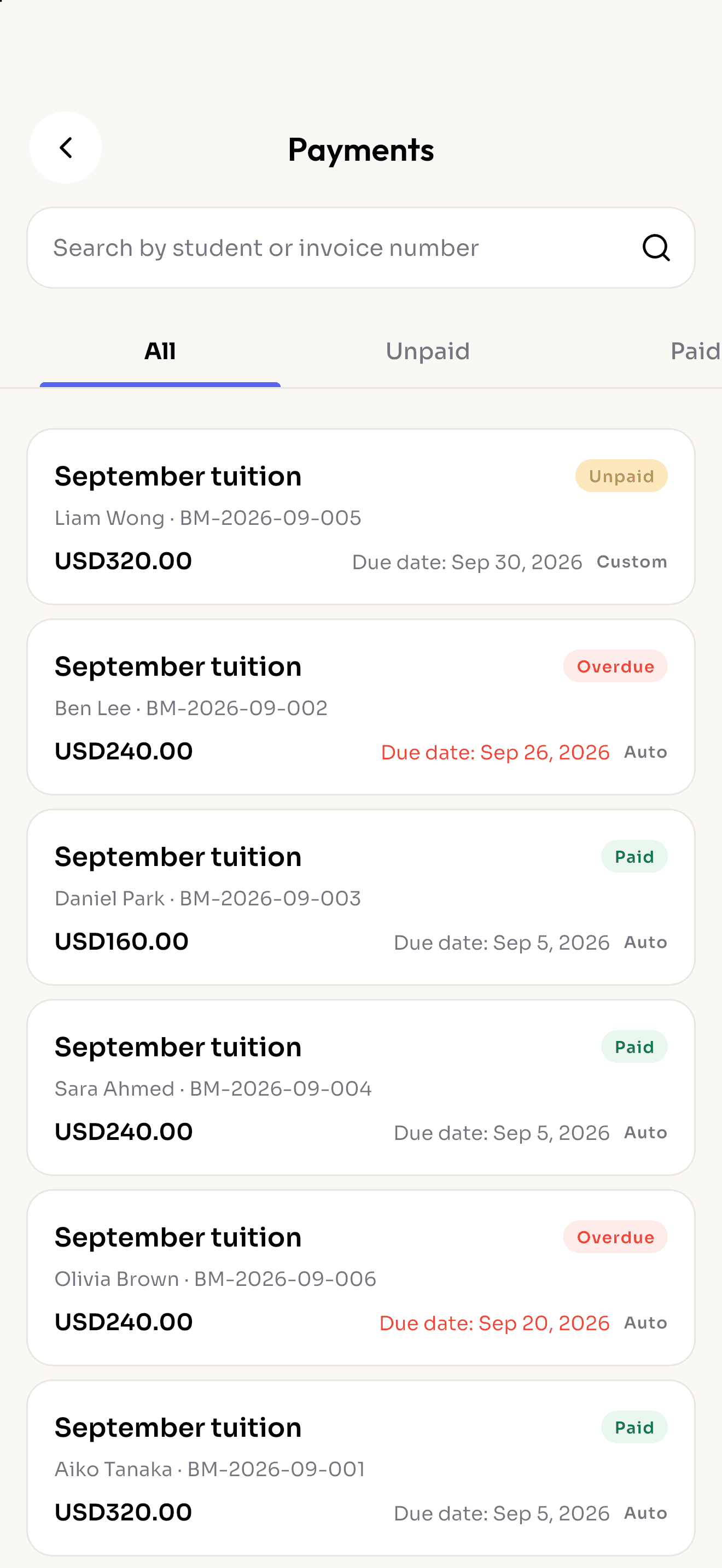
When the money arrives, mark the invoice paid. Unpaid and overdue ones stand out.
Less chasing, fewer awkward talks
Automatic or one-off
Recurring invoices run on their own; add a custom invoice for books, exams or events.
Unpaid, overdue, paid
Every invoice has a clear status, and overdue ones are flagged in red.
Proof of payment
Students can attach a transfer receipt or photo to the invoice. It's optional, never required.
PDF in one tap
Download any invoice as a PDF and share it through WhatsApp, email or any app.
Your payment details on every invoice
Add bank or e-wallet instructions once and they appear on each invoice and PDF.
Linked to credits, if you want
Optionally add session credits to a student's balance when their invoice is paid.
More features
Run tomorrow's classes on Reclass.
Download the app, create your school and share the code with your teachers.